Community Resources
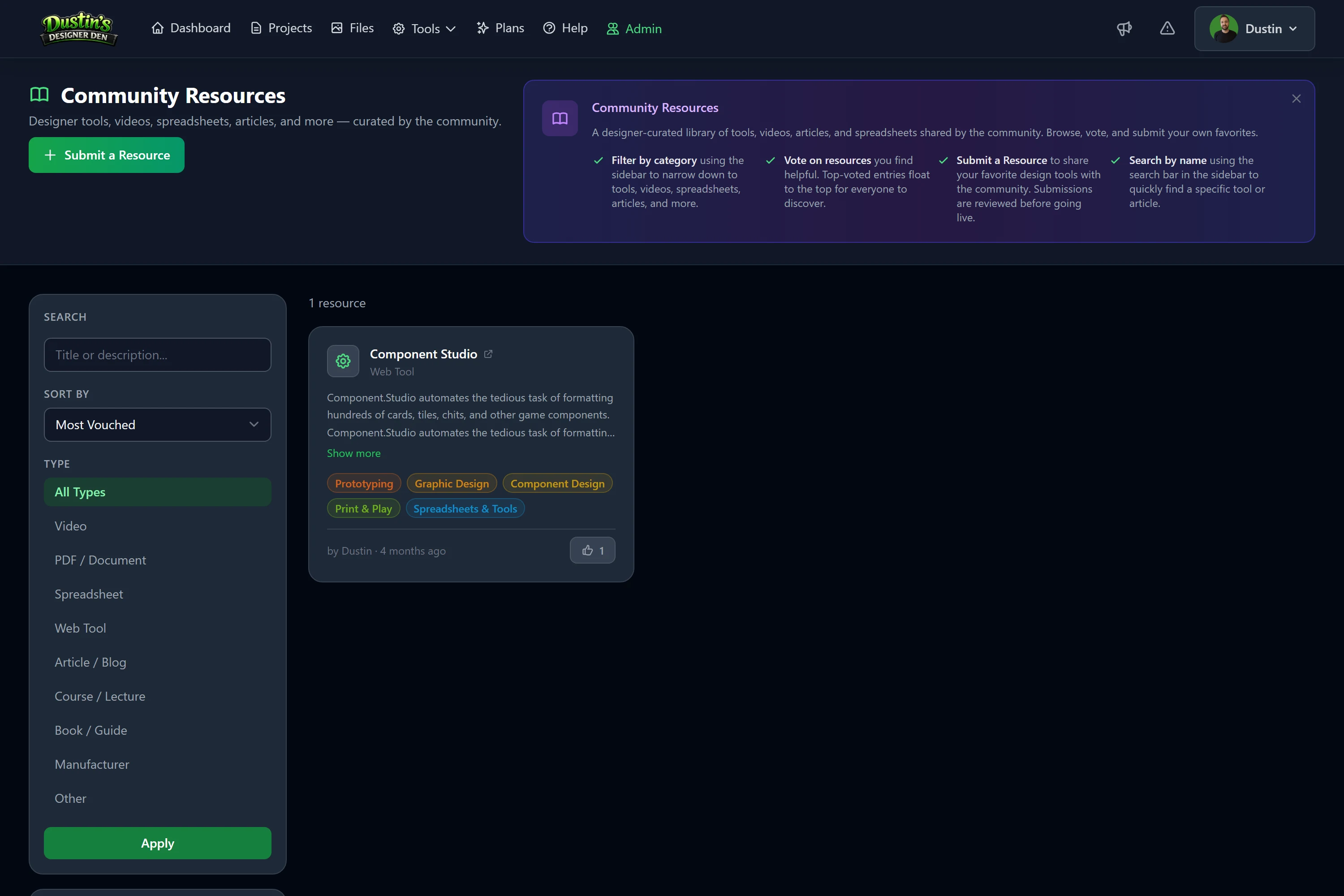
A community-curated library of designer tools, videos, spreadsheets, articles, and more, submitted and vouched for by fellow game designers.
- Browse freely: no account needed to browse or read resources.
- Submit resources: registered designers can share links they find valuable.
- Vouch for quality: vote on pending submissions to help great content surface.
Overview
Community Resources is a publicly browseable library of external links, videos, PDFs, spreadsheets, web tools, articles, courses, books, and more, that any registered designer can submit. Resources are community-vetted through a vouching system before they go live, so the quality stays high.
Browsing & Filtering
The main Community Resources page shows all approved resources in a searchable, filterable grid. No login required.
Sidebar Filters
- Search: full-text search across titles and descriptions.
- Type: filter to a specific category (Video, PDF, Spreadsheet, etc.).
- Tags: click colored tag pills to filter by topic (e.g. "playtesting"); click again to deselect.
- Sort: order by Most Vouched (default), Newest, or Oldest.
Resource Cards
Each card shows the type icon and label, a title linking to the external resource (new tab), a short description, color-coded topic tags, the submitter name and time since submission, and the vouch count (with a vouch button if you're signed in).
Tip
Filters stack, search "probability" while filtering type "Spreadsheet" to find spreadsheet-based probability tools. Use Clear Filters to reset.
Resource Types
| Type | Description |
|---|---|
| Video | YouTube tutorials, conference talks, design breakdowns, recorded lectures. |
| PDF / Document | Downloadable guides, rulebooks, frameworks, reference documents. |
| Spreadsheet | Sheets/Excel files for cost tracking, probability math, balance modeling. |
| Web Tool | Browser-based apps for design, prototyping, or analysis. |
| Article / Blog | Written guides, blog posts, and essays on game design. |
| Course / Lecture | Structured multi-part learning content. |
| Book / Guide | Full-length books and comprehensive references online. |
| Manufacturer | Print-and-play manufacturers, component suppliers, printing services. |
| Other | Communities, forums, podcasts, templates, and anything that doesn't fit above. |
Submitting a Resource
Anyone with a free account can submit. Submissions immediately appear in the Awaiting Community Vouches section while they wait to be vetted.
- Sign in (or create a free account).
- Click Submit a Resource in the top-right of the Community Resources page.
- Fill in the form.
- Click Submit Resource.
Submission Form Fields
| Field | Description |
|---|---|
| Title | Concise, descriptive name. Max 200 characters. |
| URL | The full link. Must be valid; links go directly to whatever you submit. |
| Description | What this resource is and why it's useful. Max 1,000 characters. Good descriptions get more vouches. |
| Type | The category that best describes the format. |
| Tags | Optional, up to 5 admin-curated tags. Leave blank if none fit, admins can tag during review. |
After submitting, your resource appears immediately in "Awaiting Community Vouches." It won't show in the main approved grid until it reaches the vouch threshold and passes admin review.
The Vouch System
Instead of a simple upvote, Community Resources uses vouches, a way to signal "I've seen this and it's legitimate and useful." This keeps low-quality or spammy links out of the main library.
- Any signed-in user can vouch for a pending resource.
- Each user gives one vouch per resource (it's a toggle, so click again to remove it).
- The vouch count is shown on every card.
- Vouching on already-approved resources tracks community endorsement but doesn't affect visibility.
The Vouch Progress Bar
Pending cards show a progress bar filling toward the threshold. Once a resource reaches 5 vouches:
- Its status changes to Awaiting Admin Review.
- The vouch button is hidden (no more votes needed).
- The progress bar turns orange to show it's ready for review.
- An admin will approve or reject it shortly.
Vouch responsibly: only vouch for resources you've actually visited and believe are genuinely useful.
How Moderation Works
Resources go through a two-step pipeline, community vouching, then admin review, so no single person controls the library:
- Pending Vouches: submitted and visible in "Awaiting Community Vouches." Anyone signed in can vouch.
- Awaiting Admin Review: reached 5 vouches. An admin checks the link, content quality, and relevance.
- The admin then either Approves it (appears in the main grid for all visitors) or Rejects it (removed from public view).
Common Rejection Reasons
- Link is broken or no longer accessible.
- Content isn't relevant to tabletop or board game design.
- Duplicate of an already-approved resource.
- Promotional / spam content with no genuine educational value.
- Inappropriate or harmful content.
If your submission was rejected and you believe it was a mistake, re-submit with a clearer description of its relevance to game design.