Patch Notes
v1.0.391
Overlap Control
Dustin Hendrickson
New Features
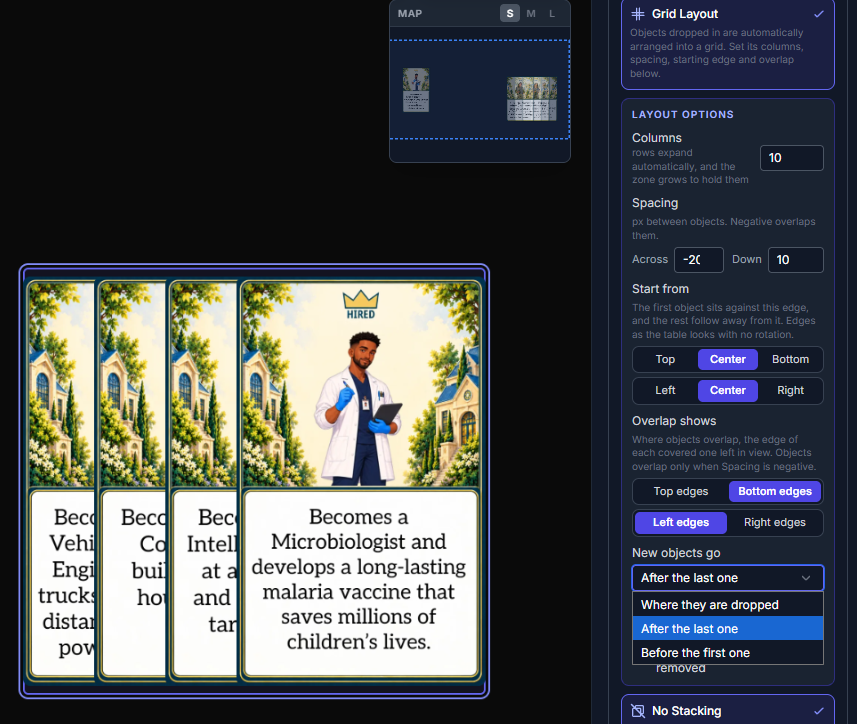
Grid Layout Options
- Start from: build the grid out from the top, bottom, left, right or center of the zone
- Overlap shows: choose which edge of each covered card stays in view, top or bottom, left or right
- Separate Across and Down spacing, so rows can overlap while columns stay apart, or the other way round
- New objects go: where they are dropped, after the last one, or before the first one
- When cards are set to overlap, the options offer to turn on No Stacking and No Auto-Lift in one click
Improvements
Grid Layout Zones
- Spacing is now always exact: cards only overlap when Spacing is negative
- A zone too small for its cards grows to hold them, instead of squeezing them together
- It grows away from its Start from edge, and into empty table before it grows over another zone
- It shrinks back to the size you drew as cards leave
- Resizing a layout zone yourself sets its new size and lays its cards out again
Fixes
Grid Layout Zones
- A dropped card now lands where you let it go every time, however far to the side of a column you drop it
- Cards dragged in together land together where you dropped them
- Clicking a card in a layout zone no longer brings it on top of the cards around it, for every player