Patch Notes
v1.0.376
Seats to sit on! (Kind of?)
Dustin Hendrickson
New Features
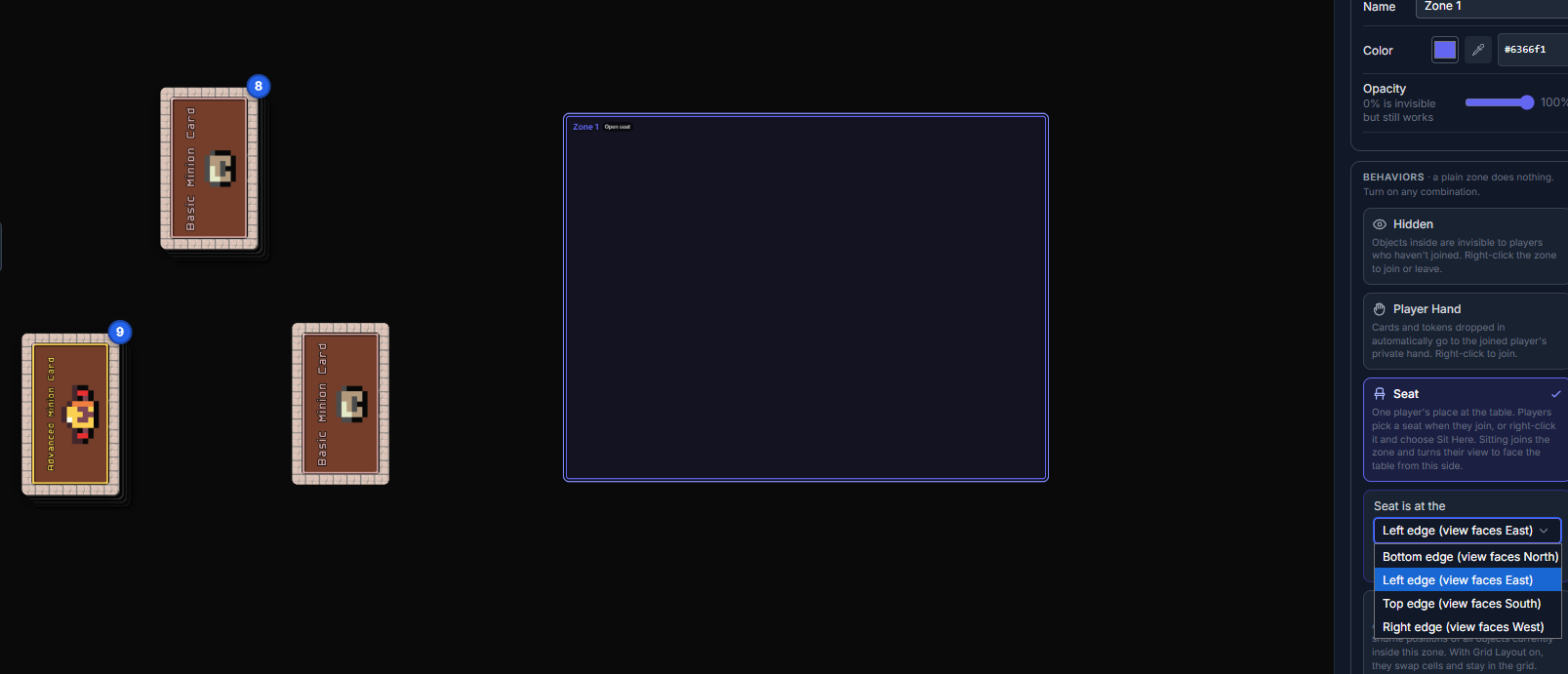
Seats
- New Seat behavior for zones: draw a zone where each player sits and pick which edge of the table it's at
- Choose an open seat when you join, or right-click a seat and choose Sit Here
- Sitting turns your view to face the table from your side and joins the zone, so it works with Player Hand and Hidden zones
- One player per seat. Leaving the room frees your seat, and reloading puts you back in it
No Auto-Lift Zones
- New zone option: pieces inside don't carry what's resting on them
- Pieces inside aren't carried along when something under them is moved
Hidden Zone Silhouettes
- Hidden zones can now show silhouettes
- Players who haven't joined see a gray outline of each piece, never its faces, name or count
Keep Component Sizes (Dextrous)
- New Dextrous sync option: components that already have a size in Designer Den keep it through a sync
- New components still take their size from Dextrous
Improvements
Faster Keyboard Panning
- Hold Shift with WASD or the arrow keys to pan three times as fast
- Works while you're dragging a piece across the table
- Press or release Shift mid-pan to change speed without stopping
Rotating Carries Pieces
- Rotating a board or card turns the pieces resting on it around its center
- Pieces snapped to it now turn with it too
- One undo puts everything back
Dextrous Sync Options
- The project page and the playtest room show the same options under the same names: Decks, Matching, Sizes and Removing
- Clearer names and descriptions, with card order shown under Build decks
- A sync started in the room no longer undoes options you changed on the project page
Fixes
Inserting Cards in Dextrous
- Inserting cards in Dextrous renumbers the cards after them, and a sync no longer swaps those cards' components
- Each card keeps its own component, so your setups and decks keep the cards you placed
Text Labels
- A text label dropped onto a rotated piece keeps its angle
Grid Zones
- Changing Columns or Spacing re-lays the pieces right away, and undo and redo do too
Zooming at a Rotated Seat
- Wheel and pinch zoom keep the point under your cursor when your view is rotated