Patch Notes
v0.1.228
Publisher Pitch Update
Publishers & Pitching
Connect with publishers and let them play your game. Designer Den now has a full publisher directory and pitch system, so you can take a game from prototype all the way to a publisher's desk without leaving the app.
For designers:
- Browse the publisher directory and filter by genre, player count, and complexity so you only see publishers that fit. DDD-Verified publishers show first.
- Pitch in a few minutes — pick your DDD game and the pitch form auto-fills from your project (title, description, genre, player count). Add a pitch deck, sell sheet, or screenshots.
- Let them actually play it — attach a saved table setup and the publisher can launch your game in a private playtest room in one click. No files to send, and your project stays private.
- Track everything in the new My Pitches area, which shows each pitch's status and keeps your whole conversation with the publisher in one place.
- Pitch more than one game to the same publisher (a different game each time).
For publishers:
- Become a publisher for free — a one-click add-on to your existing account (you keep all your designer tools), and you can turn it off any time.
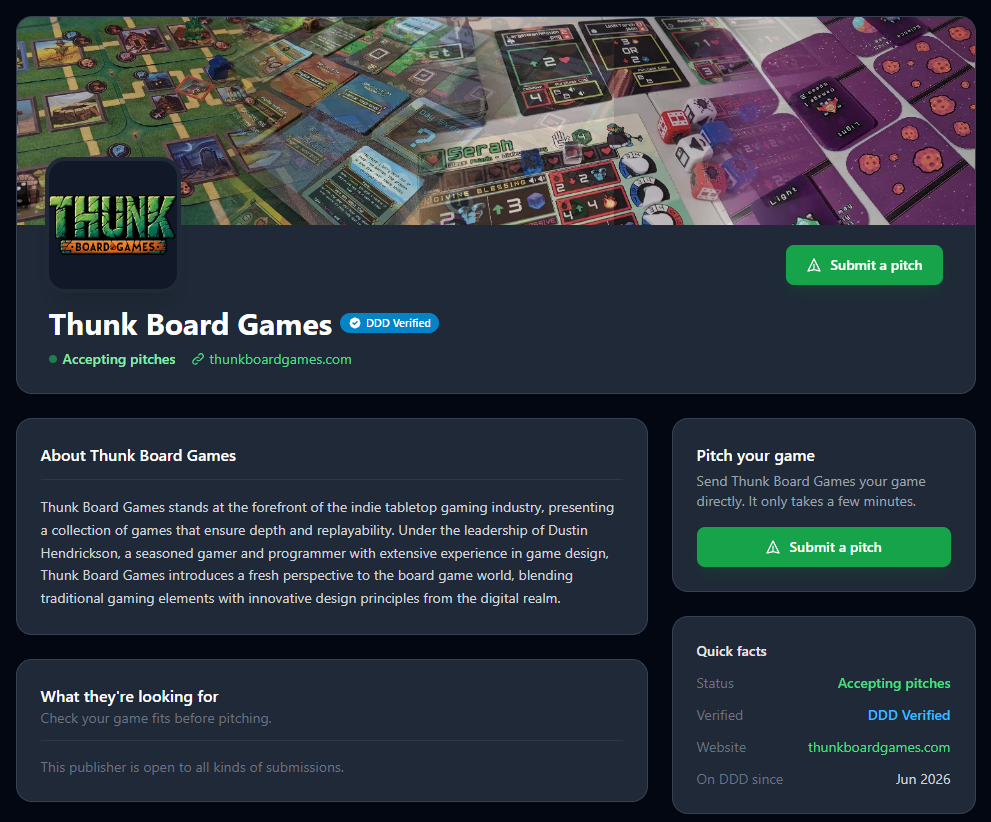
- Build a profile that shows off your brand — custom page URL, cover image, logo, bio, and the genres, player counts, and complexity you're looking for.
- Control your visibility with separate switches for being listed in the directory and accepting pitches, so you can open and close submissions on your terms.
- Use a real inbox — review pitches, set a status (Under Review, Interested, Needs More Info, and more), message designers, and load any attached setup to test the game yourself.
- Customize your pitch form by adding your own questions to collect exactly what you need.
Your designer profile:
- Every account can now set up a public designer profile: a profile picture, tagline, bio, a custom URL, and a banner color of your choice.
- Your profile showcases your public table setups with one-click Play, so anyone can pick up your games.
- Private by default — publish it when you're ready.
Other improvements and fixes:
- New Help Center articles covering publishers, pitching, and your designer profile.
- Action confirmations now appear as clean toast notifications, and the sign-in and registration pages got a fresh look.
- New Peek hotkey (P) — quickly look at the face-down side of a component without flipping it for everyone. While you're peeking, a large eye icon appears so other players know you're looking, and the action is recorded in the action log.
- Fixed some physical sizing and scaling inconsistencies with the children of decks and stacks.
- Added a Dextrous quick re-sync button on the Project listing page for projects that have Dextrous set up.
- Added a confirmation modal to the The Game Crafter (TGC) import process.