Rules were meant to be broken... and then fixed!
What's New
A big release. The headline is a second kind of rulebook, one you write rather than scan.
New: Text rulebooks
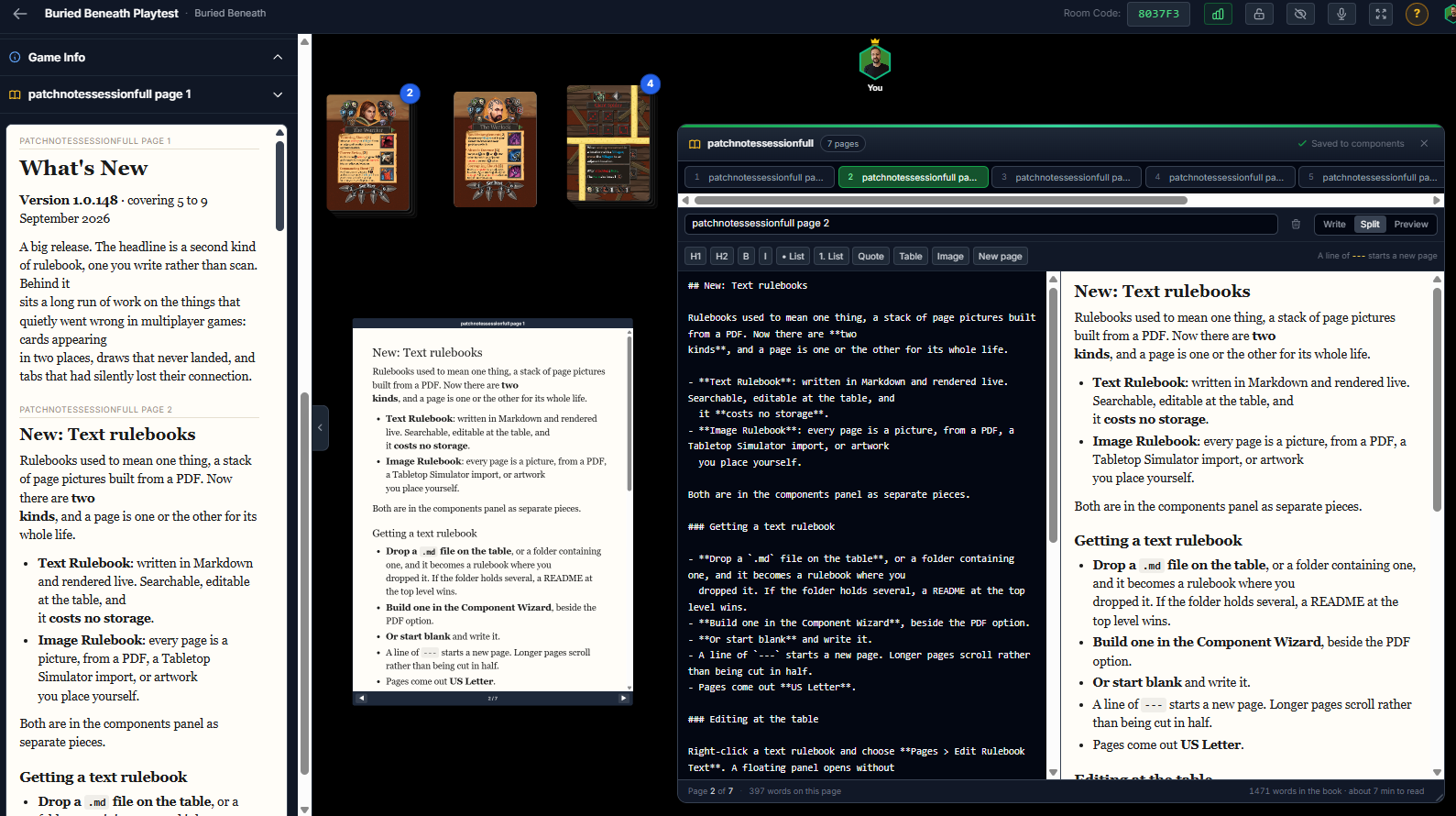
Rulebooks used to mean one thing, a stack of page pictures that could be built from a PDF. Now there are two kinds.
- Text Rulebook: written in Markdown and rendered live. Searchable, editable at the table.
- Image Rulebook: every page is a picture, from a PDF, a Tabletop Simulator import, or artwork you place yourself. (Current rulebooks)
Both are in the components panel as separate pieces.
Getting a text rulebook
- Drop a
.mdfile on the table, or a folder containing one, and it becomes a rulebook where you dropped it. If the folder holds several, a README at the top level wins. - Build one in the Component Wizard, beside the PDF option.
- Or start blank and write it.
- A line of
---starts a new page. Longer pages scroll rather than being cut in half. - Pages come out US Letter by default.
Editing at the table
Right-click a text rulebook and choose Pages > Edit Rulebook Text. A floating panel opens without closing the room behind it: Write, Split and Preview, a formatting bar for headings, bold, italic, lists, quotes, tables and pictures from My Files, page tabs down the side, and add or delete a page.
Two saves, and it tells you which is which. Save to Components writes the text back to your project's component records and refreshes the copy on this table at the same time. The status bar shows when the components were last written and how many pages are not in them yet.
Reading it during a game
- Ctrl+F with a text rulebook open or selected jumps to the page a phrase is on. Also on the right-click menu as Pages > Find in Rulebook.
- Add to Left Panel puts the book beside the game as its own section, sized to the height of the window. Everyone sees it, and it saves with the table setup.
- Links in a rendered page open in a new tab.
- Pictures a Markdown file links to are copied into your storage, so a book does not depend on someone else's server. While that happens you get a placeholder with the book's name, a count of the pictures and a clock, instead of a page of broken images.
New: On the table
- Auto-Lift is now adjustable. Dragging a piece has always carried whatever is sitting on it. A room option now sets how much of that piece has to be over the one below before it comes along: a slider from 1% to 100%, starting at 50%, measured per layer against the piece directly beneath.
- Hand vertical position. Each player can slide their own hand up or down to suit their screen, and it is remembered.
- Attached labels look attached. A label bound to a component carries a small chain-link mark, lights up when either it or its component is selected, and names the component it went to when you place it.
New: Elsewhere
- My Files accepts PDFs, so a designer can keep a rules PDF in their own storage.
- Sign-up is security check gated against the spam registrations that were actually arriving.
Fixed: Connection
- A frozen tab used to look connected for two minutes after its socket was already dead. It now notices and recovers.
Help
- New article: Text Rulebooks.
- Rulebooks from a PDF is now Image Rulebooks, covering every way to build one rather than just the PDF route. Its old link still works.
- Moving & Arranging Objects, Host Controls, Text Labels, Component Types, Components, Tabletop Simulator Import, Editing & Syncing Components and Keyboard Shortcuts all updated to match.
- The in-room help panel lists both rulebook articles.