Player Tools
Beyond moving pieces, the room gives every player a set of small tools that make a session run smoothly. None of them require host powers.
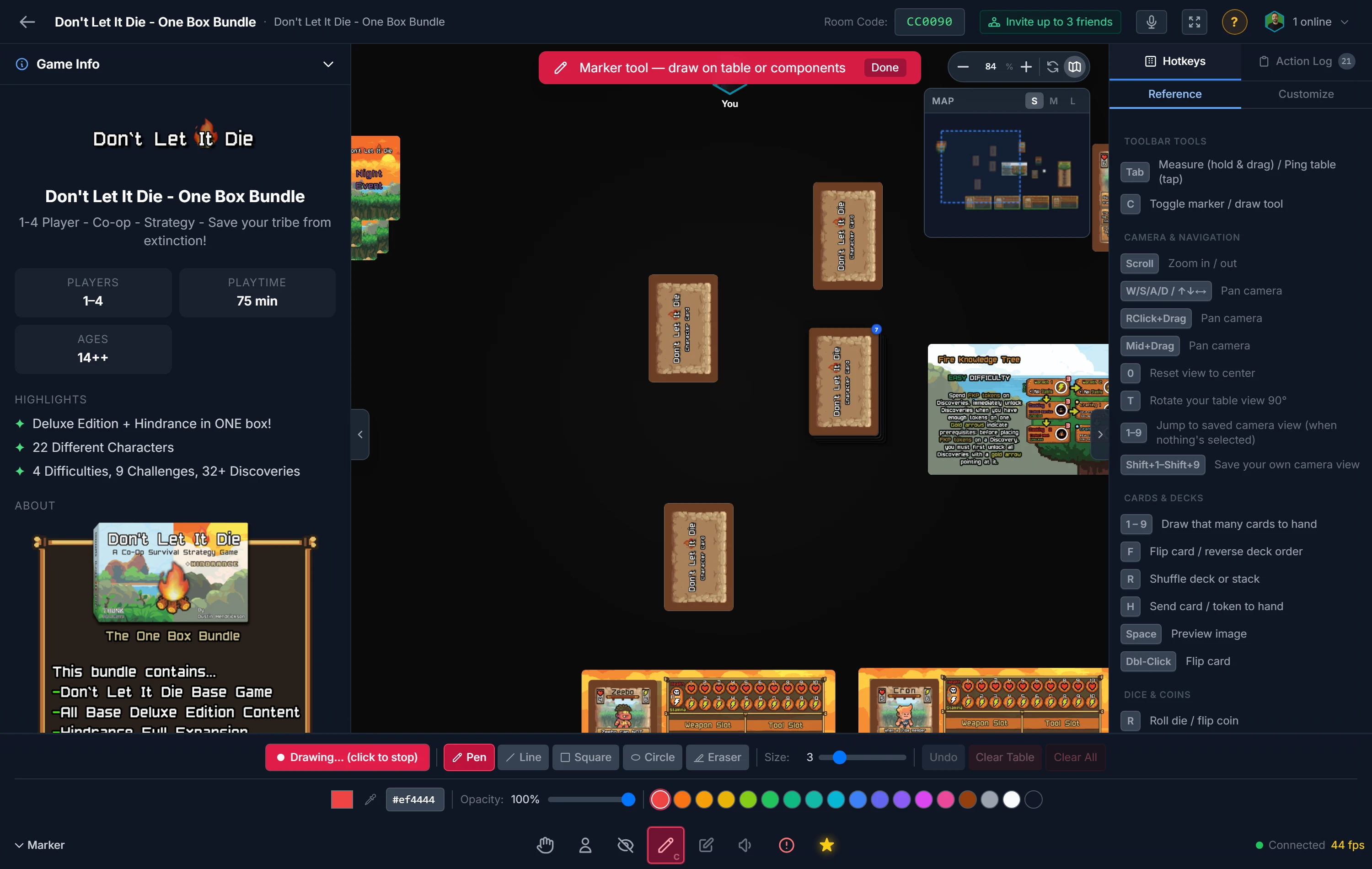
Pointing Things Out
- Live cursors: everyone's cursor shows on the table in their player color, with a name label, so you can always see where attention is.
- Ping and ruler (
Tab): holdTaband move to pull out a measuring ruler (80 pixels equals one inch). Release to fire a colored ping that flashes on everyone's table, perfect for "look here."
Keeping Track
- Action log: a collapsible panel records the table's history, joins, rolls, draws, shuffles, flips, locks, counter changes, and more. It's the receipt for everything that happened.
- Notepad: a private scratch area for your own notes, visible only to you. See below.
The Notepad
Open the notepad from the toolbar at the bottom of the room, or press Shift+N. It's a floating panel rather than a pop-up, so you can leave it open and carry on playing underneath it.
The notepad opens closed and stays closed until you ask for it. Nothing about it is shared: the other players can't see it, and it never appears on the table.
- Move it by dragging its title bar, with a mouse or a finger. It stays where you put it, and it can't be dragged so far that you lose hold of it.
- Pin it with the bookmark button so
Escleaves it alone. Unpinned,Esccloses it along with everything else. - Add a tab with the
+button on the right of the tab strip. - Rename a tab by double-clicking its name, typing, and pressing
Enter. New tabs start with plain names like "Notes" and "Note 2", so renaming them is worth doing. - Delete a tab with the
×that appears on the tab you're currently in. It sits well away from+on purpose, since deleting a tab can't be undone. Your last remaining tab is emptied rather than removed, so there's always somewhere to type.
You can keep up to 20 tabs, each holding up to 20,000 characters.
Your notes are saved in this browser on this device. They're never sent to the server or shown to anyone else in the room, and they survive closing the tab, refreshing, and coming back another day. They're also shared across every room you join, so a "Rules questions" tab follows you from one session to the next.
If you used the notepad before it had tabs, those notes are brought across into tabs the first time you open it, so nothing you wrote is lost.
Important
Because the notes live in this browser, they don't follow you to another device or another browser, and anyone else using this computer under the same browser profile can read them. Clearing your browsing data clears them too.
Comfort & Focus
- Sound effects: audio cues play for rolls, flips, shuffles, and placements. A volume button sits next to the minimap controls (top-right); click it for a slider, or set it to zero to mute.
- Blindfold (
N): drops a dark overlay over the table for you only, while your hand stays usable. Handy when you shouldn't see a setup being prepared.
Giving Feedback
When the host is recording analytics (a Pro feature), every player gets a Submit Feedback button. Click it any time during the session to leave a rating and comments. Submissions are saved to the session log immediately, so you don't have to wait until the end.
Tip
Submit feedback before you close the tab. Once you leave, the moment (and your notes) are gone. See Playtest Analytics for what the host sees afterward.
Related: Voice Chat · Playtest Analytics · Keyboard Shortcuts