Managing Incoming Pitches
Once you're set up and accepting pitches, submissions arrive in your Pitch inbox, reachable from your Publisher Dashboard.
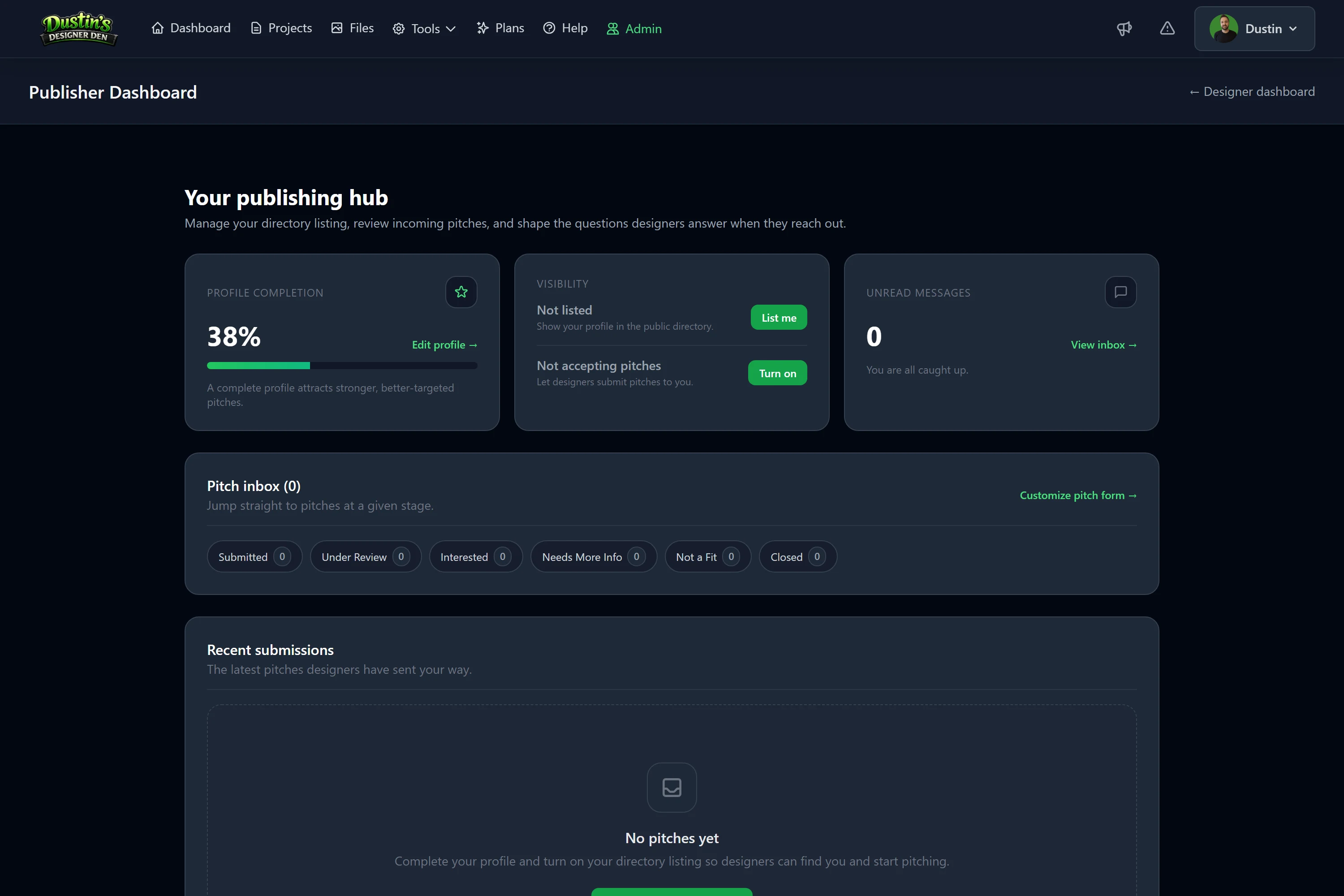
The dashboard at a glance
Your dashboard shows the essentials: profile completeness, your Listed and Accepting switches, unread messages, and a breakdown of pitches by status. Click any status to jump into the inbox filtered to it.
The inbox
The inbox lists every pitch you've received. Each row shows the game title, who sent it, how long ago, an unread badge when there are new messages, and the current status. Filter by status using the chips at the top.
Open a pitch to see:
- the designer's full answers to your pitch form,
- any attachments (pitch deck, sell sheet, images),
- a Playable setup card if they attached one (more below),
- and a conversation thread.
Setting a status
From a pitch, set its status so both you and the designer always know where things stand:
| Status | Use it when |
|---|---|
| Submitted | The default on arrival. |
| Under Review | You're actively evaluating it. |
| Interested | You want to take it further. |
| Needs More Info | You need the designer to answer something. |
| Not a Fit | It isn't right for you. |
| Closed | The conversation is finished. |
The designer sees the status on their copy of the pitch.
Messaging the designer
Use the conversation thread to ask questions or follow up — you can include an image. Everything stays attached to the pitch, so the whole history is in one place.
Test the designer's game
If a pitch has a Playable setup attached, click Load & test setup to open a private playtest room loaded with the designer's exact arrangement. You can move pieces, draw cards, and get a real feel for the game — far more useful than a written description.
Note
Testing opens a fresh, temporary room from a copy of the setup. Nothing you do affects the designer's project, and the game stays private to you and them.
Customize your pitch form
Want more than the standard questions? Open Customize pitch form from your dashboard to add your own — short text, long text, links, numbers, yes/no, or multiple choice, and mark any of them required.
Important
Your custom questions are snapshotted onto each pitch when it's submitted. Editing or removing a question later never changes the answers on pitches you've already received.
Tip
Ask for what actually helps you decide — a prototype link, budget range, or print-and-play file — and keep the list short. Long forms get fewer submissions.
Related: Becoming a Publisher · Publishers & Pitching: Overview · Saved Table Setups