Component Types
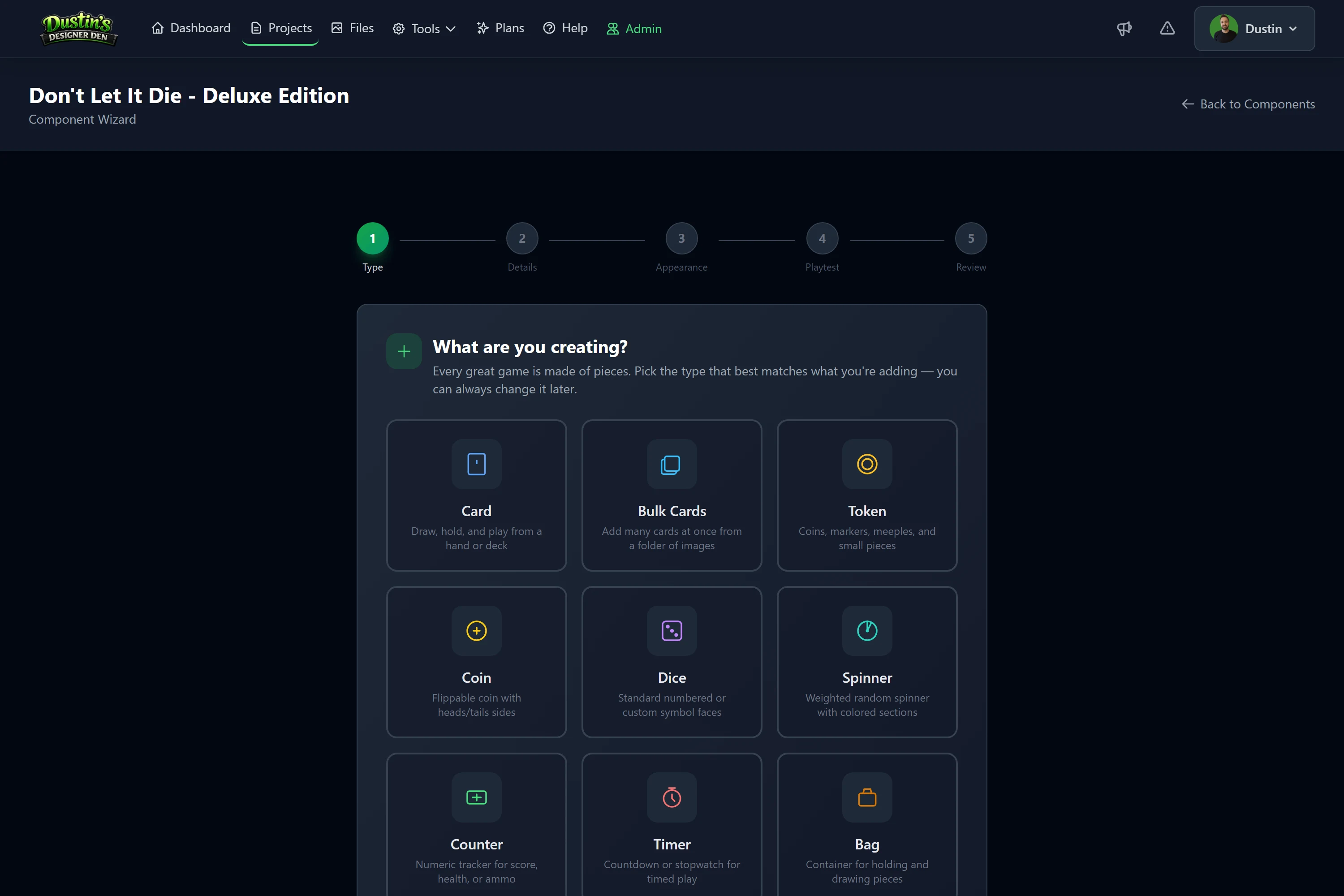
A reference for every type of piece you can add to a project. To create one, use the Component Wizard, see Creating & Managing Components.
Tip
Each type's color, opacity, image, mask/shape, and physical-size behavior is explained in one place — see Color & Opacity and Shapes & Masks. In short: color fills a face beneath its image, opacity controls how much of that color shows, and masks change a piece's outline.
Cards
Playing cards, reference cards, and other card-based components organized into decks.
- Front / Back images: the card face and its back design.
- Quantity: number of copies.
- Size label: optional free-text label (e.g. "Poker", "Mini", "Euro").
- Physical size: width × height in inches or mm (under Playtest Settings).
- Card mask: clip shape for the card image: rounded, circle, hex, and more.
- Snap tags: which snap points the card may land on; see Snap Tags.
Tip
A card isn't tied to one deck. Group cards in the Deck & Stack Builder, or select several on the Components page and use the Deck box in the bulk bar. To create a batch of cards and deck them in one go, use Bulk Cards below.
Bulk Cards
A fast way to create many cards at once from a folder of face images: each image becomes its own card, listed in filename order so you can rename them before creating. Shared settings, size label, physical size, rotation and description, apply across the whole batch.
Card Shape Mask sets the outline for every card in the batch, and the card thumbnails update to show it. Picking a square-ish mask (circle, square, diamond, hex) also adjusts the default physical size to match the box that mask renders in.
Card Back Setup
Choose how the batch gets its backs:
- Same Back: one shared back image for every card in the batch.
- Back = Front: each card uses its own front image as its back, so it looks the same from either side.
- Unique Backs: every card gets its own back-image field. Leave any of them empty if only some cards need a unique back.
Add To Deck
Optional. You can drop the whole batch straight into a deck as it's created:
- Pick one or more Existing Decks from the list.
- Type a New Deck name and click Add.
- Or both, the cards are added to every deck you list.
Cards go into the deck in the same order as the list above, and picking an existing deck adds to it rather than creating a second deck with the same name. Leave this empty to create loose cards and group them later, see Deck & Stack Builder.
Tokens
Small game pieces for resources, markers, or status indicators.
- Shape: Circle, Square, Square Rounded, Rectangle, Rectangle Rounded, Triangle, Triangle Rounded, Hex (Pointy Top), Hex (Flat Top).
- Front / Back color: hex color with 0–100% opacity per face.
- Physical size: width × height in inches or mm.
- Image: optional custom token face.
- Material: free-text label (e.g. wood, plastic, cardboard).
- Snap tags: which snap points the token may land on; see Snap Tags.
Bulk Tokens
The token equivalent of Bulk Cards: point it at a folder of images and each one becomes its own token, in filename order, ready to rename before creating. It uses the same screens, so everything above works the same way here.
The differences are the ones that make a token a token:
- Token Shape sets the outline for every token in the batch, instead of a card mask.
- Use Image as Mask applies to the whole batch, so artwork with its own transparency cuts out each token.
- Add To Stack puts the batch into a token stack rather than a deck. Pick existing stacks, type a new name, or both.
Backs work exactly as they do for cards: one Same Back for the batch, Back = Front so each token uses its own front image on both sides, or Unique Backs per token.
Note
Cards group into decks and tokens group into token stacks, never the other way round. See Deck & Stack Builder.
Dice
Random number generators with standard or custom faces.
- Standard dice: d2, d3, d4, d6, d8, d10, d12, d20 with standard numbering. Set the Die Body Color and Font Color under Playtest Settings (dice have no front/back color).
- Custom dice: upload a unique image for each face (perfect for action or symbol dice).
Note
Example: a d6 with custom faces for Move, Attack, Defend, Special, Wild, and Double actions.
Boards
Game boards, player mats, reference cards, or any flat playing surface.
- Size label: optional free-text label (e.g. "20×20", "Letter").
- Physical size: width × height in inches or mm.
- Image: the board layout.
- Material: free-text label (e.g. cardboard, neoprene).
- Snap tags: which snap points the board may land on; see Snap Tags.
Boards can also carry their own alignment grid, see Grids, Snapping & Placement.
Rulebooks
Multi-page instruction manuals with pages grouped by book name. There are two kinds, and a page is one or the other for its whole life: an image rulebook whose pages are pictures, and a text rulebook written in Markdown and rendered live. Text pages are searchable, editable at the table, and cost no storage.
- Each page is its own component entry, with automatic page numbering.
- Pages can be individually named, and each page has its own physical size.
- Leave a page's size empty and it takes the shape of its own artwork, so a landscape spread and a portrait page can sit in the same book and each is shown correctly.
- A page with no artwork is a blank page, drawn in its page color (white unless you set one).
- Already have a PDF? Build the whole book from it instead of adding pages one at a time.
- Rules still being written? Drop a
.mdfile and it becomes the book, with a line of---starting each new page. - Preview as a booklet in playtest rooms, navigating with arrow buttons. The book takes the shape of whichever page you are on, so turning to a differently shaped page reshapes the book.
Note
Example: a "Core Rulebook" with Cover, Setup, Turn Sequence, Actions, Scoring, and FAQ pages.
Coin
A two-sided component you flip for heads/tails outcomes, currency, or any binary-state token. Has Front / Back images and colors.
Bag
A container for storing and drawing components randomly. Players drag pieces into a bag on the table, then draw one at a time or shuffle the contents. During play you can add and remove its contents freely. A single front color tints the bag (there's no back face).
Pack
A sealed booster pack that opens into a random spread of cards or tokens. Unlike a bag, a pack holds nothing: it stores references to cards and tokens already in the project, grouped into rarity tiers whose chances have to add up to 100%. Opening one rolls the result on the server and gives every player at the table the same pack, and each pack can only be opened once. Opening needs an active Pro subscription on the account that owns the project. See Booster Packs.
Spinner
A weighted random-outcome spinner. Define up to 12 sections (minimum 2) with labels, colors, and relative weights, each section's odds are proportional to its weight. Click the spinner in a playtest room to spin it.
Note
Spinners have no Snap Points or Marker Strokes tabs.
Counter
A named numeric counter. In the playtest room it shows its current value with + / − buttons for quick incrementing and decrementing.
Timer
A countdown timer placed on the table. Start, pause, and reset from the playtest room to track turn time limits or game phases.
Other
A catch-all for anything that doesn't fit another type, standees, trays, screens, and custom pieces. Has optional Front / Back artwork and colors.
Related: Creating & Managing Components · Component Wizard walkthrough · Realtime Playtest