Don't Let It Die - One Box Bundle

1-4 Player - Co-op - Strategy - Save your tribe from extinction!

1–4 players
75 min
Strategy
Resource Management

Setting up the table…

of images

Dustin's Designer Den

New here? Take a quick tour

A ~1-minute guided walkthrough of the table.

Help & Controls

It highlights things right on your screen — about a minute. Or read the steps below.

  1. 1
    Add pieces. Open the Components bar on the left and drag a deck, token stack, board, or die onto the table. Your game is in the Project tab, ready-made pieces in Generic, your pictures in Files. Decks & stacks ›
  2. 2
    Move & act. Drag a piece to move it. for its main action — flip a card, roll a die, draw from a deck. Objects ›
  3. 3
    Open the menu. for everything else: rotate, scale, flip, lock, layers, snap tags.
  4. 4
    Keep cards private. Drag a card into your Hand tray at the bottom; drag it back out to play it. Your hand ›
  5. 5
    Play together. Share the room link to invite players, then use voice chat and roles. Voice › · Roles ›

This Room Is No Longer Open

All Difficulties (Shared) · Don't Let It Die - One Box Bundle

The host has made this room private, so it's no longer accepting new players. If you were already playing here, you can rejoin from the tab you were using.

Join Playtest Room

All Difficulties (Shared) · Don't Let It Die - One Box Bundle

Up to 4 players

You'll appear as

Watch as a spectator

Rotate your device

The playtest room requires
landscape orientation.

All Difficulties (Shared)
Menu
Players in Room
Players in Room
Don't Let It Die - One Box Bundle

Don't Let It Die - One Box Bundle

1-4 Player - Co-op - Strategy - Save your tribe from extinction!

Players

1–4

Playtime

75 min

Genre

Strategy

Ages

14+

Theme

Prehistoric

Mechanic

Resource Management

Highlights

✦ Deluxe Edition + Hindrance in ONE box!
✦ 22 Different Characters
✦ 4 Difficulties, 9 Challenges, 32+ Discoveries

About

https://s3.amazonaws.com/crowdsalefiles.thegamecrafter.com/F4974B72-861A-11EB-AD2C-10C836E7496F/OneBoxBundleAdvert.png

https://i.imgur.com/jg5wjuf.png

https://s3.amazonaws.com/crowdsalefiles.thegamecrafter.com/F4974B72-861A-11EB-AD2C-10C836E7496F/TransparentLogo.png

https://s3.amazonaws.com/crowdsalefiles.thegamecrafter.com/F4974B72-861A-11EB-AD2C-10C836E7496F/GameStats.png

https://s3.amazonaws.com/crowdsalefiles.thegamecrafter.com/F4974B72-861A-11EB-AD2C-10C836E7496F/InfoPanel.png

https://s3.amazonaws.com/crowdsalefiles.thegamecrafter.com/F4974B72-861A-11EB-AD2C-10C836E7496F/KSBaseGame-Small.png

https://i.imgur.com/roGBeps.png

Click to Read the Rules!

https://i.imgur.com/0at5N8o.png

https://i.imgur.com/hEdIS9G.png

22 UNIQUE CHARACTERS With 22 characters in the One Box Bundle, that all have unique skills and specialties, you'll have over 7,315 combinations of mix-and-match strategies to plan out. Try experimenting with different characters to find your group's favorite play style!

COMPLETELY COOPERATIVE Designed from the ground up to offer a re-playable, interactive, strategic cooperative experience for 1-4 players. The key to victory lies in your group's ability to adapt to the ever-present and always changing threats of prehistoric life. Should you focus on hunting and foraging to feed your starving tribe? Or should you be more concerned with supplying the dwindling fire with more wood? Perhaps constructing a weapon or tool might ease the stress of gathering resources... These choices and more await you in what will surely be the ultimate test of survival.

RESOURCE MANAGEMENT Brave the wilds to collect resources such as berries, plant fiber, rocks, meat, wood, hide and bone! Cooperate with each other by planning the best use of the scarce resources you find. Some characters have skills that will assist you to obtain resources more easily. Equip them with items and unlock new discoveries to uncover their true potential!

FIRE DISCOVERIES To win the game your tribe must investigate the fire to learn its secrets before it burns out. Each discovery will help you to survive another day, and unlocking the ultimate discovery, "Fire Starter," means victory! Fire Knowledge Points, or FKP, are earned by spending stamina to roll the Fire Die, which awards anywhere from 0-3 FKP tokens per roll. You may then spend your FKP on Discoveries which help the entire group.

MULTIPLE DIFFICULTIES The core box comes with 4 different Fire Knowledge Trees to play against, each one offering a different difficulty and new set of challenges to work through!

CRAFTING WEAPONS, TOOLS, AND BUILDINGS You will need to craft various tools, weapons, and buildings to be able to survive long enough to learn the fire's secrets. Tools will assist you in obtaining resources, while weapons will help you to survive encounters with Danger! cards, providing meat from killing the attacking predators and preventing some if not all damage taken from skirmishes. There are also extremely beneficial buildings you can craft to aid the whole tribe, but choose wisely: you may only build one per game!

https://i.imgur.com/19rrvaf.png

https://i.imgur.com/4QYQt8Q.png

Every One Box Bundle and Deluxe copy of Don't Let It Die come with the mini expansion called, Daylight.

New Rules -> Drawing a Nothing card from a resource deck triggers a Day Event. When an event is triggered, draw the top card from the Day Event deck. You must pick only 1 option, before choosing, read each option to see if it has a cost. Most Day Event cards have an event with 2 options to pick from.

New Resource -> Fish

Eating Fish restores Stamina instead of Health. Only Sig can catch Fish.

Daylight includes...

-1 Rule Card

-10 Day Event cards

-8 Fish Tokens

-1 Character Card, Sig


https://s3.amazonaws.com/crowdsalefiles.thegamecrafter.com/F4974B72-861A-11EB-AD2C-10C836E7496F/HindranceSplayed.png https://s3.amazonaws.com/gameimages.thegamecrafter.com/9329BD8E-5E66-11EA-AC59-57215ABF7666/773BFE82-8612-11EB-9F65-D5B836E7496F/Divider.png

https://i.imgur.com/jg5wjuf.png

https://s3.amazonaws.com/crowdsalefiles.thegamecrafter.com/F4974B72-861A-11EB-AD2C-10C836E7496F/HindranceStorys.png

https://s3.amazonaws.com/gameimages.thegamecrafter.com/9329BD8E-5E66-11EA-AC59-57215ABF7666/773BFE82-8612-11EB-9F65-D5B836E7496F/Divider.png

4 New Characters

Hindrance brings 4 new Tribe members into the family! They will help you tame these new mountain lands with their wide arrangement of skills.

https://s3.amazonaws.com/gameimages.thegamecrafter.com/9329BD8E-5E66-11EA-AC59-57215ABF7666/D3A91B96-8612-11EB-9F65-74B936E7496F/NewCharactersHindrance.png

https://s3.amazonaws.com/gameimages.thegamecrafter.com/9329BD8E-5E66-11EA-AC59-57215ABF7666/773BFE82-8612-11EB-9F65-D5B836E7496F/Divider.png

New Resources

The newly accessible mountain may be dangerous, but it holds valuable resources such as Gemstones, Dino Eggs and Medicinal Herbs. These new resources will aid you in their own unique ways.

https://s3.amazonaws.com/gameimages.thegamecrafter.com/9329BD8E-5E66-11EA-AC59-57215ABF7666/C50C68B6-8614-11EB-9F65-AFBD36E7496F/BlueGemstone.png https://s3.amazonaws.com/gameimages.thegamecrafter.com/9329BD8E-5E66-11EA-AC59-57215ABF7666/C4FFF338-8614-11EB-ABC3-473F1BF3E6B8/YellowGemstone.png https://s3.amazonaws.com/gameimages.thegamecrafter.com/9329BD8E-5E66-11EA-AC59-57215ABF7666/C4B897B8-8614-11EB-9F65-ADBD36E7496F/PurpleGemstone.png
https://s3.amazonaws.com/gameimages.thegamecrafter.com/9329BD8E-5E66-11EA-AC59-57215ABF7666/C55BABEC-8614-11EB-ABC3-423F1BF3E6B8/DinoEggRaw.png https://s3.amazonaws.com/gameimages.thegamecrafter.com/9329BD8E-5E66-11EA-AC59-57215ABF7666/C56658DA-8614-11EB-9F65-B9BD36E7496F/DinoEggCooked.png https://s3.amazonaws.com/gameimages.thegamecrafter.com/9329BD8E-5E66-11EA-AC59-57215ABF7666/C4B998AC-8614-11EB-ABC3-453F1BF3E6B8/MedicinalHerb.png

https://s3.amazonaws.com/gameimages.thegamecrafter.com/9329BD8E-5E66-11EA-AC59-57215ABF7666/773BFE82-8612-11EB-9F65-D5B836E7496F/Divider.png

14 New Unique Items and Buildings

New Item's are available for crafting, offering tons of new abilitys and ways to help your Tribe deal with the fact that everything is trying to kill them! Some of the new Tribe members even bring their own unique item that cannot be crafted by normal means.

https://s3.amazonaws.com/gameimages.thegamecrafter.com/9329BD8E-5E66-11EA-AC59-57215ABF7666/4A5B534C-8615-11EB-9F65-3BBF36E7496F/W-Bola.png https://s3.amazonaws.com/gameimages.thegamecrafter.com/9329BD8E-5E66-11EA-AC59-57215ABF7666/4A5A39EE-8615-11EB-9F65-34BF36E7496F/T-BoneFlute.png
https://s3.amazonaws.com/gameimages.thegamecrafter.com/9329BD8E-5E66-11EA-AC59-57215ABF7666/4B8E14B6-8615-11EB-9F65-38BF36E7496F/B-CampWalls.png https://s3.amazonaws.com/gameimages.thegamecrafter.com/9329BD8E-5E66-11EA-AC59-57215ABF7666/4B69F05E-8615-11EB-ABC3-DB401BF3E6B8/W-FireStick.png

https://s3.amazonaws.com/gameimages.thegamecrafter.com/9329BD8E-5E66-11EA-AC59-57215ABF7666/773BFE82-8612-11EB-9F65-D5B836E7496F/Divider.png

32 New Unique Discoveries

These new Discoveries will be randomly drawn and selected to replace a variable number of Fire Knowledge Tree Discoveries, making each playthrough even more unique!

https://s3.amazonaws.com/gameimages.thegamecrafter.com/9329BD8E-5E66-11EA-AC59-57215ABF7666/A4EBBD88-8615-11EB-9F65-BEBF36E7496F/15-A.png https://s3.amazonaws.com/gameimages.thegamecrafter.com/9329BD8E-5E66-11EA-AC59-57215ABF7666/A4EFEC32-8615-11EB-ABC3-7C411BF3E6B8/5-A.png
https://s3.amazonaws.com/gameimages.thegamecrafter.com/9329BD8E-5E66-11EA-AC59-57215ABF7666/A5546AAE-8615-11EB-9F65-BFBF36E7496F/16-B.png https://s3.amazonaws.com/gameimages.thegamecrafter.com/9329BD8E-5E66-11EA-AC59-57215ABF7666/A54BFD9C-8615-11EB-ABC3-67411BF3E6B8/15-B.png

https://s3.amazonaws.com/gameimages.thegamecrafter.com/9329BD8E-5E66-11EA-AC59-57215ABF7666/773BFE82-8612-11EB-9F65-D5B836E7496F/Divider.png

Physical and Mental Hindrances

When taking damage from Danger! cards you'll be drawing Physical Hindrances. These are temporary setbacks for your character and can be removed by eating or using new Medicinal Herbs.

If you stack up too many, your mental health will start to degrade and you'll be stuck with a non-removable Mental Hindrance for the rest of the game!

https://s3.amazonaws.com/gameimages.thegamecrafter.com/9329BD8E-5E66-11EA-AC59-57215ABF7666/F5756DE4-8615-11EB-ABC3-03421BF3E6B8/P-Naueseaus.png https://s3.amazonaws.com/gameimages.thegamecrafter.com/9329BD8E-5E66-11EA-AC59-57215ABF7666/F56BFC46-8615-11EB-9F65-53C036E7496F/P-Diseased.png
https://s3.amazonaws.com/gameimages.thegamecrafter.com/9329BD8E-5E66-11EA-AC59-57215ABF7666/EFA5E074-8615-11EB-9F65-41C036E7496F/M-Depressed.png https://s3.amazonaws.com/gameimages.thegamecrafter.com/9329BD8E-5E66-11EA-AC59-57215ABF7666/EFBC1AB0-8615-11EB-ABC3-F6411BF3E6B8/M-Dumb.png

https://s3.amazonaws.com/gameimages.thegamecrafter.com/9329BD8E-5E66-11EA-AC59-57215ABF7666/773BFE82-8612-11EB-9F65-D5B836E7496F/Divider.png

Click to Visit Steam Page!

https://s3.amazonaws.com/gameimages.thegamecrafter.com/9329BD8E-5E66-11EA-AC59-57215ABF7666/773BFE82-8612-11EB-9F65-D5B836E7496F/Divider.png

Digital version now available!

Click image below to learn more.
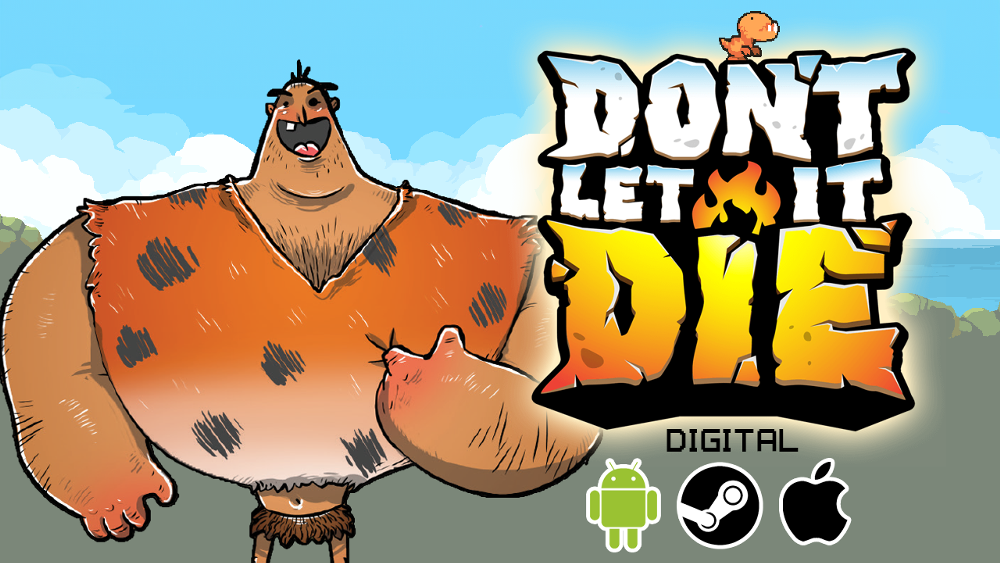
Click to get the Digital game!

https://s3.amazonaws.com/gameimages.thegamecrafter.com/9329BD8E-5E66-11EA-AC59-57215ABF7666/773BFE82-8612-11EB-9F65-D5B836E7496F/Divider.png
Click to visit the Thunk Board Games site!

Game Website

Hosted by Dustin Hendrickson

Output switching needs a Chromium browser.

Camera Views

Drag corners to resize zone
Drag corners to resize
Click to place label — drag to draw a box — click a component to attach it
Tags:
Marker tool — draw on table or components
Selected
Lock / unlock
Ctrl+A Select all with the same mask (no mask: same type, e.g. all D6s)
Esc Exit the current tool / deselect
Toolbar Tools
TabMeasure (hold & drag) / Ping table (tap)
Toggle marker / draw tool
Camera & Viewing
ScrollZoom in / out
Pan camera
RClick+DragPan camera
Mid+DragPan camera
Reset view to center
Rotate your table view 90°
Jump to saved camera view (when nothing's selected)
Preview the object under the cursor
Peek under — show its hidden side
Toggle blindfold — hide the table from yourself
Cards & Decks
1 – 9Draw that many to hand (or take the card you're pointing at)
Flip card / reverse deck order
Shuffle deck or stack
Send card / token to hand
DragDraw the top card or token off a pile (a bag gives a random item)
Shift+DragMove a deck, stack or bag
Dbl-ClickFlip card
Rulebooks
1 – 9Turn to that page
Right-clickPages: jump to any page by name
Preview, then ←/→ to turn pages
Dice & Coins
Roll die / flip coin
1 – 9Set die to that face value
Step die face up / down
Flip coin
Dbl-ClickRoll die / flip coin
Object Control
Rotate CCW 90°
Rotate CCW 45°
Rotate CW 90°
Rotate CW 45°
Tuck Behind Component
Group selected into deck / stack
Lock / unlock in place
Selection & Other
Ctrl+ClickAdd / remove from selection
Right-ClickOpen context menu
EscDeselect / exit mode / close preview
Editing
Select all with the same mask (no mask: same type, e.g. all D6s)
Voice
Push-to-talk — hold to talk (when enabled in the voice bar)

Press a key to bind:

Press any key combination. Esc to cancel.

Browser-reserved combos (Ctrl+W/T/N, Ctrl+Tab, zoom, F-keys…) can't be captured.

Key Already Bound

Combos your browser won't allow

The browser handles these itself, so they can't be used as room hotkeys (the binder will reject them): Ctrl+W / T / N / Q / L, Ctrl+Tab, Ctrl+0–9, Ctrl with + / − / = (zoom), Ctrl+Shift+I / J / C (devtools), and F1–F12. Tip: combos using Shift (e.g. Shift+Space) are always safe.

Sign in to save and load hotkey profiles.

%
Marker strokes stay on whatever you start on (table or component)
Tool
Undo & clear
Stickers
Sticker
Image
Scale
Rotate
°
Shared palette
Text labels Click the table to drop a label Drag to size it as you place Click a component to pin the label to it
Style
Used for new labels, and applied to any labels you have selected.
Font sizePixels, 8 to 72
Max widthPixels, 60 to 800
Text color
Background
LayerBehind or in front of components
Formatting
**bold** → bold *italic* → italic ~~strike~~ → strike `code` → code # Heading 1 ## Heading 2 - item → bullet list 1. item → numbered list > text → blockquote --- → divider | A | B |
|---|---|
| 1 | 2 |
→ table
Zones Drag on empty table to draw a zone Click a zone or its chip to edit it here Del removes the selected zone table pieces are paused while this menu is open
Zones
Snap points
Snap points
New points
TagsOnly objects with a matching tag snap here
Any object
Auto-flipFlip components when they snap here
Auto-rotateTurn components when they snap here

click to cycle

PlacementStamp several points with each click
TagsApplied to all selected
Any object
Auto-flip
Auto-rotate

click to cycle

Room options Rules for this table. Every change applies to all players straight away and saves with the setup. Host tools guide
Grid
Shape
SizeCell size, in inches
"
Line color
Snap toCell center, or where grid lines cross
What players see
Pieces
Auto-liftHow much of a piece has to sit on another before dragging that one carries it. Low carries anything that clips a corner; 100% only what sits squarely on top.
Saving & sharing
Host only
Player options
1. Set an option the way you want it. 2. Click its pin so every player starts on it. 3. Save to the setup. Players can still change pinned settings for themselves.
Settings with an amber pin start from this setup. You can still change them.
Hand
Card size
Vertical positionHow high the hand sits
Auto-flip when drawn
Auto-rotate in handAngle cards turn to in your hand
Controls
Q/E rotation stepClick the dial or the number
Scroll zoom speed
Preview & Peek
Camera views
Play behavior
Drop to tableRotation when played from hand
Appearance
Selection boxMarquee and selected-object glow
Table color
Texture
Table image
Counters & handles
Save & sync Setups, snapshots and keeping pieces up to date with your project.
Setup
Load a setupReplace the table with one of your saved setups
Save the tableSave it as a new setup, or overwrite one
Table
Resync Table ComponentsUpdate every Table Component to its Project Component
Fresh roomOpens a brand-new room for this project in a new tab: empty table, no setup
DRAG TO HAND

Request Or hover a card and click Request

Card request

Choose cards to give

requested · selected /

Card offered

wants to give you .

Give cards to

Pick from your hand · selected

Or give

Request cards from

How many?

Random takes that many at random from their hand. They pick lets them choose which to give. Either way they can deny.

Saved on this device only, and kept across rooms and sessions.

Saved to components
A line of --- starts a new page
Page of ·

Playtest Feedback

Share your thoughts on Don't Let It Die - One Box Bundle. Your feedback helps the designer improve the game!

Nothing was saved yet. Choose which version to keep for these fields. Your other changes are kept either way.

A line of --- starts a new page

Leave this empty for a page that is a picture. A page with text here renders that text on the table and ignores its image.

Group this card into decks with the Deck & Stack Builder on the Components page. A card can belong to several decks.

Optional — shown when the component is flipped over.

Real-world dimensions; the tabletop scales to match. Poker card = 2.5″ × 3.5″.

Unit:

Playtest Display Settings

Turns are applied to the stored images when you save.

Manage custom masks →

Use Image as Mask is on, so the artwork's own outline cuts out this token. The shape above no longer draws an edge, but it still decides the proportions of the box the artwork sits in.

Manage custom masks →
Front
Opacity
Back
Opacity

1.0 = default size.

Front face grid
Back face grid
Minimum
Maximum
Step

Leave a limit empty for no limit at that end. A new counter starts at its minimum, or zero.

The maximum has to be above the minimum.

seconds

Leave it empty for one minute. It counts down from here, and can still be changed on the table.

How many pieces come out when the pack is opened. Each one is rolled on its own, so the same card can turn up twice.

% total fixed pack

The slots left after the fixed ones are decided by chance, so the chances have to add up to exactly 100%. Use Balance.

The tiers guarantee items but the pack only gives out . Lower a fixed amount or raise Cards Per Pack.

No tiers yet. Add one for each rarity, give it a chance out of 100, then pick which cards or tokens can come from it.

No behavior settings for this component type.

× in

Each page can have its own size below. Leave a page empty and it takes the shape of its artwork.

No pages yet — add one.

Choose Image opens your file library. A page with no image is a blank page.

This is a rulebook of words, so its pages have no artwork. Rename and reorder them here; write them with Edit Rulebook Text.

Choose Project Components to resync

Project Component(s) have Table Components in the room. Select which to pull from the project.

Dextrous

Apply Dextrous Changes to Table?

created, updated in database. Apply changes to objects already on the table?

Syncing from Database

Please wait — do not close the tab

Apply to Table?

Project Component saved. Update on the table, in decks and in hands?

Update Table Components?

Saved state for to the Project Component.

Update matching in the room with the newly saved state?

This will permanently remove from the project.

Remove from Table?

The Project Component was deleted from the project.

Remove the linked currently on the table as well?

Project Component Link Broken

The Project Component this Table Component was linked to no longer exists. It may have been deleted and recreated. Pick a replacement Project Component to re-link it.

Load this saved game?

The table is being asked to load a saved game. You joined after the question, so you are not being asked.

Report a Bug

Found something broken? Let us know and we'll fix it! Your report will be submitted without leaving the room.

Be specific about what went wrong and how to reproduce it

JPG, PNG, GIF or WebP — max 5 MB

Bug report submitted successfully! Thank you for helping us improve.

Load Setup

Save Session State

This snapshot saves all component positions, deck states, and board configuration.

Your current view position and zoom level will be saved as the default camera when players join this table.

Add Project Dependency

Add components from another project you own to this room.

Type:

Configure Counter

Players see "Min: "
Players see "Max: "

⚠ Minimum must be less than maximum.

Blank DX

Give each face a name, a picture, or both. A face with a picture shows the picture; one without shows its name. The die is saved to your project's components.

Faces

Edit Spinner

Preview
Sections

Split

of
Take from:

off the , set down beside this one. stay here.

Deal

Players

| |

Drag a card, or its ⠿ grip on touch, to reorder it. First is the top of the . Point at a card and press to see it large.

Clear the search to drag cards into a new order.

A bag is drawn from at random, so there is no order to set. Point at an item and press to see it large.